
A Project is the shared home for work that should outlive one conversation or one person. It groups the members, Threads, instructions, files, and selected Knowledge that belong to the same outcome.
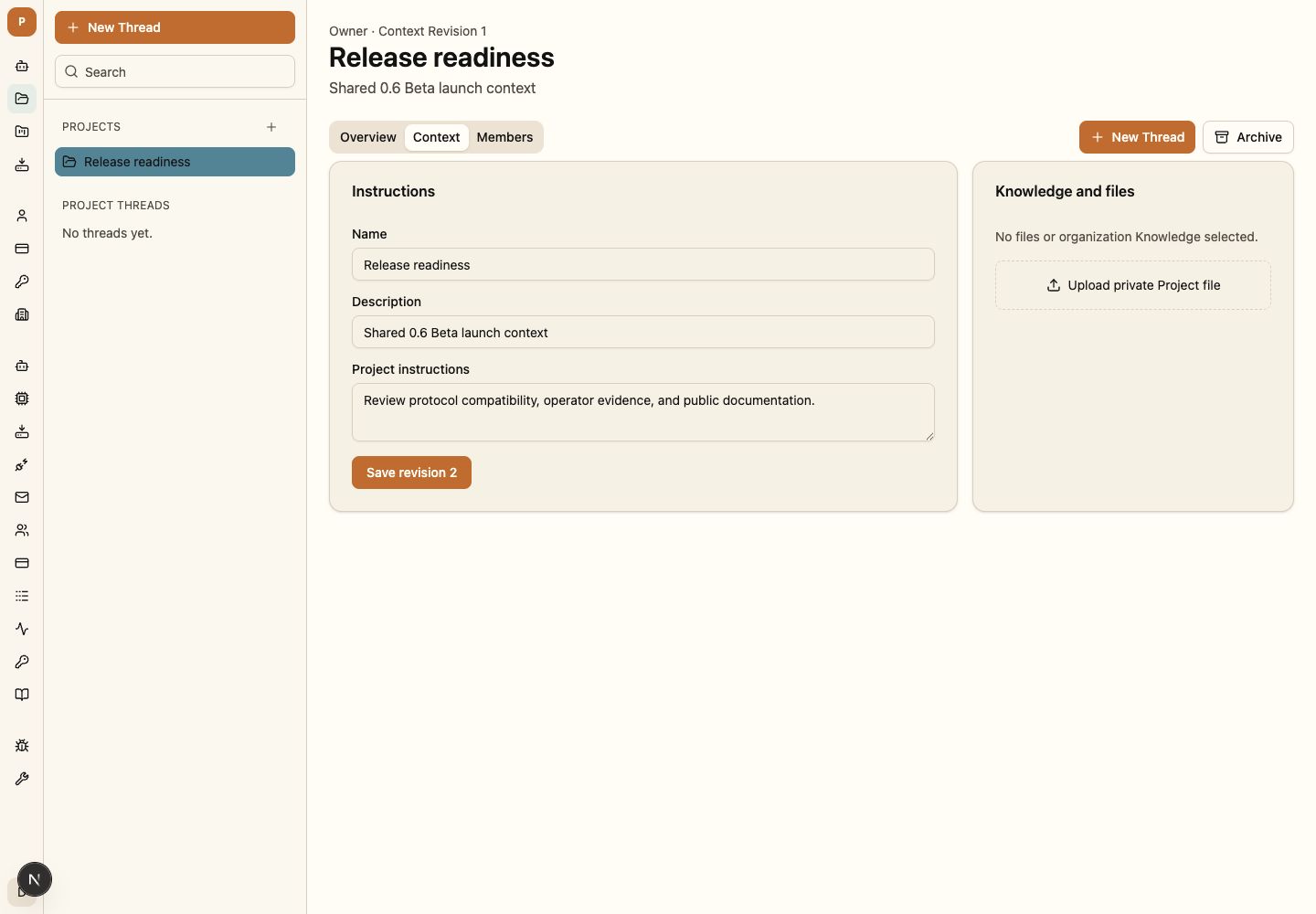
Create a Project
- Open Projects at
/projectsand create a Project with a recognizable name and purpose. - Add only the members who should see its private context and Threads.
- Add concise instructions and the files or Knowledge required for the first task.
- Create the Thread from inside the Project.
Attach context, Knowledge, and Apps
Project instructions, files, selected Knowledge, and allowed Apps become revisioned inputs for future turns. The Environment supplies the maximum execution and capability boundary; the Project may narrow it.
Choose an Environment
Select the Environment that owns the project Workspace, runtime image, shared Apps/MCP, network policy, model paths, and activity. Confirm readiness before starting the first Project Thread.
Use Mission Control
Mission Control records work items, attempts, evidence, review, and acceptance for the Project. Conversation control and project acceptance remain separate actions.
Understand Project roles
| Role | What the person can do |
|---|---|
| Owner | Manage membership, Project lifecycle, context, files, Threads, and sharing |
| Editor | Update context and files, and create or continue Threads |
| Member | Read and continue the Project Threads they can access |
Every Project retains at least one owner. Archiving removes completed work from active views while preserving its history.
Move Threads into or out of Projects
Moving a Thread changes future access and context, not the historical revision used by prior turns. Kestrel discloses the change before it is accepted.
Confirm project readiness
At least one owner remains; intended members can open the Project; context is current; the Environment and model are ready; required Apps are allowed; and a new Thread records the expected revision.
Continue with Apps and agent capabilities to understand the personal and Environment connections available to Project work.