
Start with the first visible problem rather than deleting application data. Keep the affected session and diagnostics until you know which part failed.
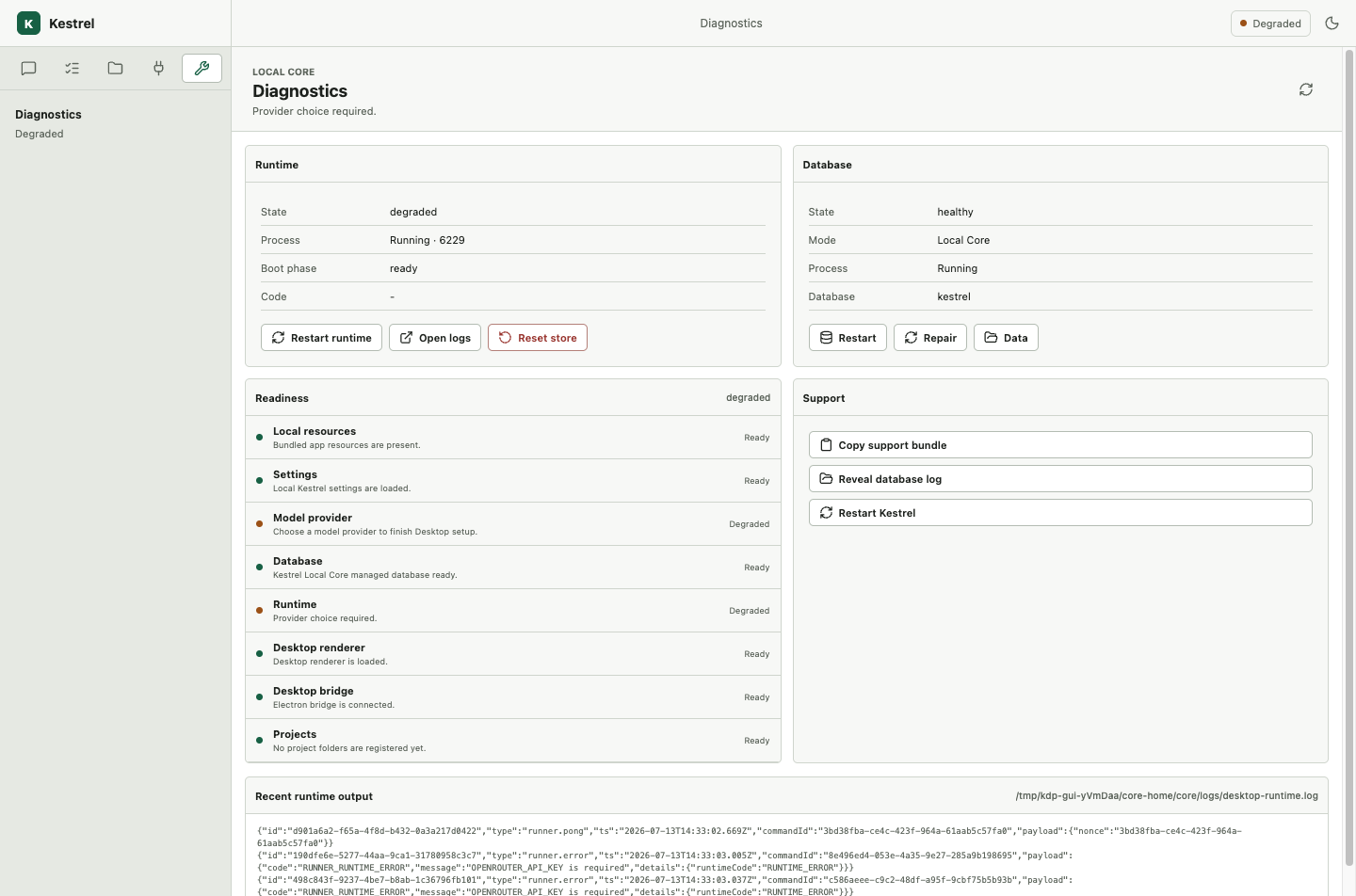
Find the unhealthy component
- Read the status shown in Desktop and note the affected session.
- Check provider access, Local Core, managed database, workspace access, and session persistence in that order.
- Restart only the component identified as unhealthy.
- Reopen the original workspace and session.
- Confirm that the transcript and last terminal state are still present before retrying.
Startup and Local Core recovery
Desktop supervises Local Core, verifies build/readiness identity, and can restart it when relevant configuration changes. Self-healing targets the unhealthy process while preserving application-owned state.
Provider recovery
Resolve missing credentials, unreachable endpoints, unavailable model IDs, and profile capability mismatch through provider settings. Restarting Local Core cannot repair a denied or unqualified provider path.
Project and subscription recovery
Repair folder permission, workspace bootstrap, Git preparation, or run-subscription reconnect in the existing Project. Confirm durable events resume from the last accepted cursor.
Waiting and decision recovery
Choose a registered recovery option for the exact pending request. Continue the same session instead of copying the prompt into a new one.
When retry is safe
Retry only when committed state and external effects are known. An uncertain external effect requires inspection and possibly a new action-bound approval before another attempt.
Collect a support bundle
Include application and Local Core versions, source/build identity, health, timestamps, logs, project/session identifiers, and recent terminal/recovery evidence. Review the bundle for secrets before sharing it.
Confirm recovery
The unhealthy state clears, the original project/session remains present, and a bounded continuation reaches one truthful terminal outcome.