
Before sending the first request, choose the model Desktop will use and the local project you want it to work in. Desktop will keep the conversation and results in a session you can reopen later.
Readiness check
Desktop confirms its application build, Local Core health, provider configuration, folder access, and credential readiness before the first run. Resolve the first visible blocker instead of restarting unrelated components.
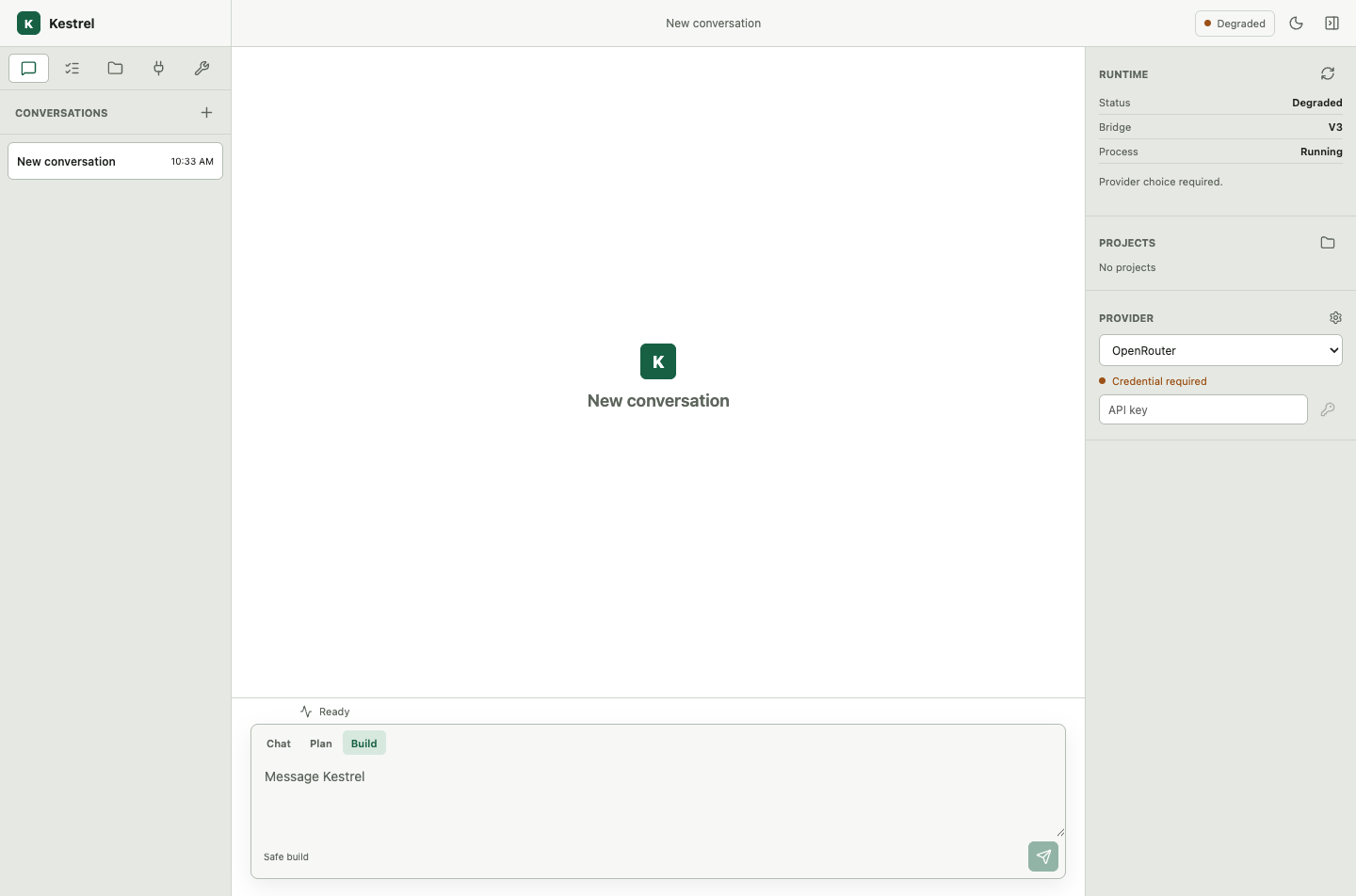
Choose a provider
Select OpenRouter, OpenAI, Anthropic, Ollama, or LM Studio. Hosted providers require an API key. Local providers normally require a running local endpoint instead. If you are unsure, follow Providers and models before continuing.
The selected model must also satisfy the canonical profile’s required capabilities. A saved model ID is not proof that it is reachable, compatible, and qualified.
Open a project
Choose a folder you recognize and have permission to edit. Desktop adds it to your project library; it does not upload the folder to Kestrel One or silently move it elsewhere.
Bootstrap the project
Desktop registers the folder and prepares the workspace and Git boundary it owns. A bootstrap error remains visible with its owner; it does not silently create a different folder or repository.
Start the first task
Create a session, ask Kestrel to explain a small part of the project, and wait for the run to finish. Close the application, reopen it, select the same project, and resume the session with a follow-up question.
Confirm success
Check the terminal outcome, visible assistant answer, changed files or artifacts, and Mission Control attempt/evidence. The first run is complete only when those surfaces agree.
Recover a blocked first run
Use the visible owner: provider setup for credentials or capability, Local Core diagnostics for runtime readiness, the project picker for folder access, or workspace recovery for bootstrap. Continue the same project/session after repair.